

Similar to many other social networks, your profile is capable of displaying a large picture of your choosing. The image is set at 300px high and the max file size allowed is 200kb.
To insert a new one is a simple process by navigating to your profile and hovering your mouse over the default image in place currently. You'll then see an option to "Change Cover Art" here you will be able to upload your image, reposition it, or remove one completely.
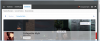
To insert a new one is a simple process by navigating to your profile and hovering your mouse over the default image in place currently. You'll then see an option to "Change Cover Art" here you will be able to upload your image, reposition it, or remove one completely.

