In using the newest version of our role play system, there were several changes that were put into place. Not only were the overall look and feel of the system upgraded but, the back end as well. One thing to take away from it is that the system is user friendly, players and admins of the groups will find that things have been streamlined to minimize the amount of clicks it takes to quickly get started within your group.
Firstly you can get into the portal by two methods. By clicking on the main navigation bar at the top or by the Role Play Portal link within the index listing.
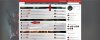
You will be then presented with the group listing. This will change depending on the group with the most recent change. What this means is that the group with the latest updated information will be displayed first. This is to let those groups without active threads dropping to the rear of the listing.

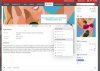
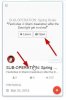 When you hover over one of the groups logo, a slider will rise up letting you know from the start whether the game is open or closed. You can also join the group from here as well. To enter the group, simply click on the title. You can also arrange or filter the order in which the listing can be displayed to you by selected the tabs above the listing. As the title of each one will tell you, the entire group listing will changing depending on the one you select.

Firstly you can get into the portal by two methods. By clicking on the main navigation bar at the top or by the Role Play Portal link within the index listing.
You will be then presented with the group listing. This will change depending on the group with the most recent change. What this means is that the group with the latest updated information will be displayed first. This is to let those groups without active threads dropping to the rear of the listing.
When you hover over one of the groups logo, a slider will rise up letting you know from the start whether the game is open or closed. You can also join the group from here as well. To enter the group, simply click on the title. You can also arrange or filter the order in which the listing can be displayed to you by selected the tabs above the listing. As the title of each one will tell you, the entire group listing will changing depending on the one you select.