
We've recently added the ability for everyone to create a sub-account/character. You can create as many as you like and they will inherit the permissions you currently have on your main account. Remember in that no other user will be able to use your sub-account/character.
Here's a short run through of this easy process of creating and logging into your characters/sub-accounts.
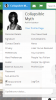
Hover your mouse over your name in the top user bar, here you can see thowards the bottom the Sub-accounts section. Go ahead and click on it.
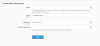
Now you'll be presented with a new screen in which you can enter the name of your new sub-account/character (No need to fill in the email and password fields) click save and a list will be automatically created above with your sub-accounts/characters
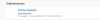
You should see in the user bar up top a new selection "Login as User" this is where you'll be able to easily select the sub-account/character in which to log in to.
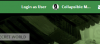
You'll be presented with a drop down selection. Find your sub-account/character, click on their name and then click "Login as User"
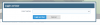
You are now logged in as your new sub-account/character. To return back to your main account just click on "Switch User" and then your main accounts name.
Here's a short run through of this easy process of creating and logging into your characters/sub-accounts.
Hover your mouse over your name in the top user bar, here you can see thowards the bottom the Sub-accounts section. Go ahead and click on it.
Now you'll be presented with a new screen in which you can enter the name of your new sub-account/character (No need to fill in the email and password fields) click save and a list will be automatically created above with your sub-accounts/characters
You should see in the user bar up top a new selection "Login as User" this is where you'll be able to easily select the sub-account/character in which to log in to.
You'll be presented with a drop down selection. Find your sub-account/character, click on their name and then click "Login as User"
You are now logged in as your new sub-account/character. To return back to your main account just click on "Switch User" and then your main accounts name.